Currently the only order splitting feature inside of WOS is the ability to split items allocated as UNKNOWN from the original order. This is a way to ship out partial orders for product that is in the warehouse, while waiting for the items on backorder to arrive.
Split Unknown Orders
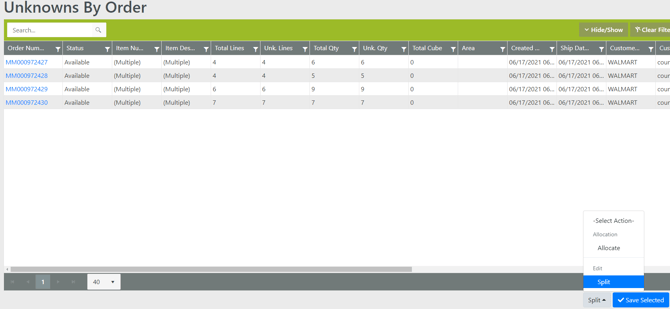
- Go to Tools -> Unknowns by Order
- Review Data Navigation for how to filter and select multiple orders
- Select Split in the action section
-
All of the items with the UNKNOWN location will be pulled off the filtered and selected orders and added to a new order. The new order will be the original order number with a " -2" appended to the end.
Example Order Split
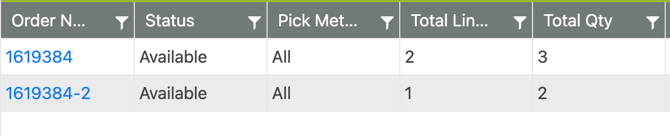
Order 1619384 has 3 order lines. 2 have inventory in a location, the other is UNKNOWN
-
After finding the order in the Unknown grid and selecting the Split action, there are now 2 orders in the system for this order. All fields are copied from the original order to the newly split order.
-
The original order 1619384 has 2 lines with the items having inventory. The new order 1619384-2 has the other line item that shows UNKNOWN