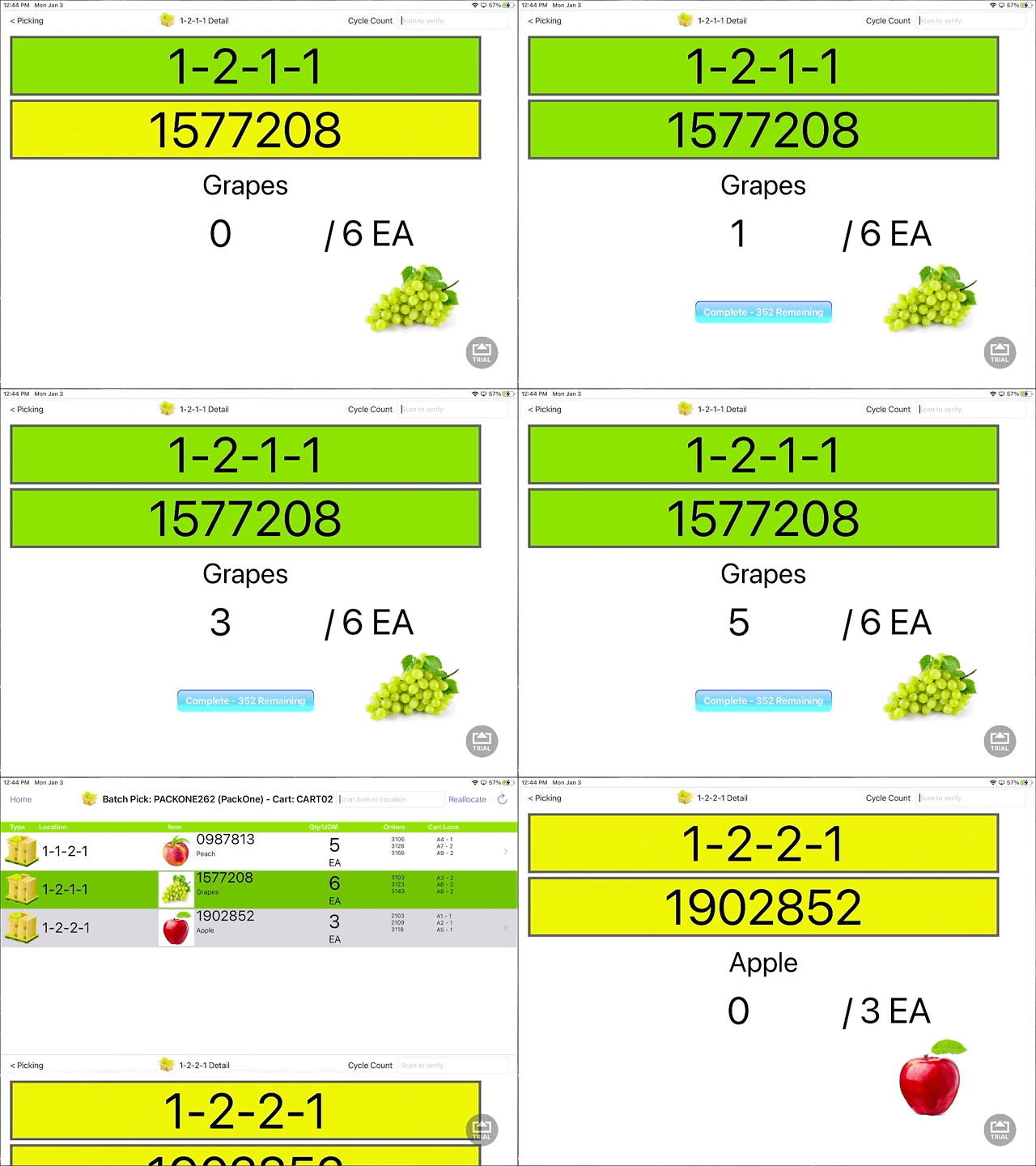
PackOne eligible orders have a single line item. To fit this profile, orders can have multiple quantity, but must only have one item. PackOne orders can be batched and picked together for a more efficient picking and packing experience. The typical sortation of orders into Cart Compartments is not necessary with these orders, so they can be picked quickly without organization. Packing is also an efficient process with limited required scanning.
PackOne batches are picked in the Batch Picking app on the iPad.
Batch Picking must be configured such that the Cart is scanned prior to the system dropping a Batch to the iPad. Cart(s) configured as CartType = PackOne are assigned PackOne batch(es).
For information on creating batches, see Building Batches or How To Use the New Batch Build. For information on the packing step of PackOne orders, see PackOne - WOS Fulfillment.
Example of PackOne Batch Picking
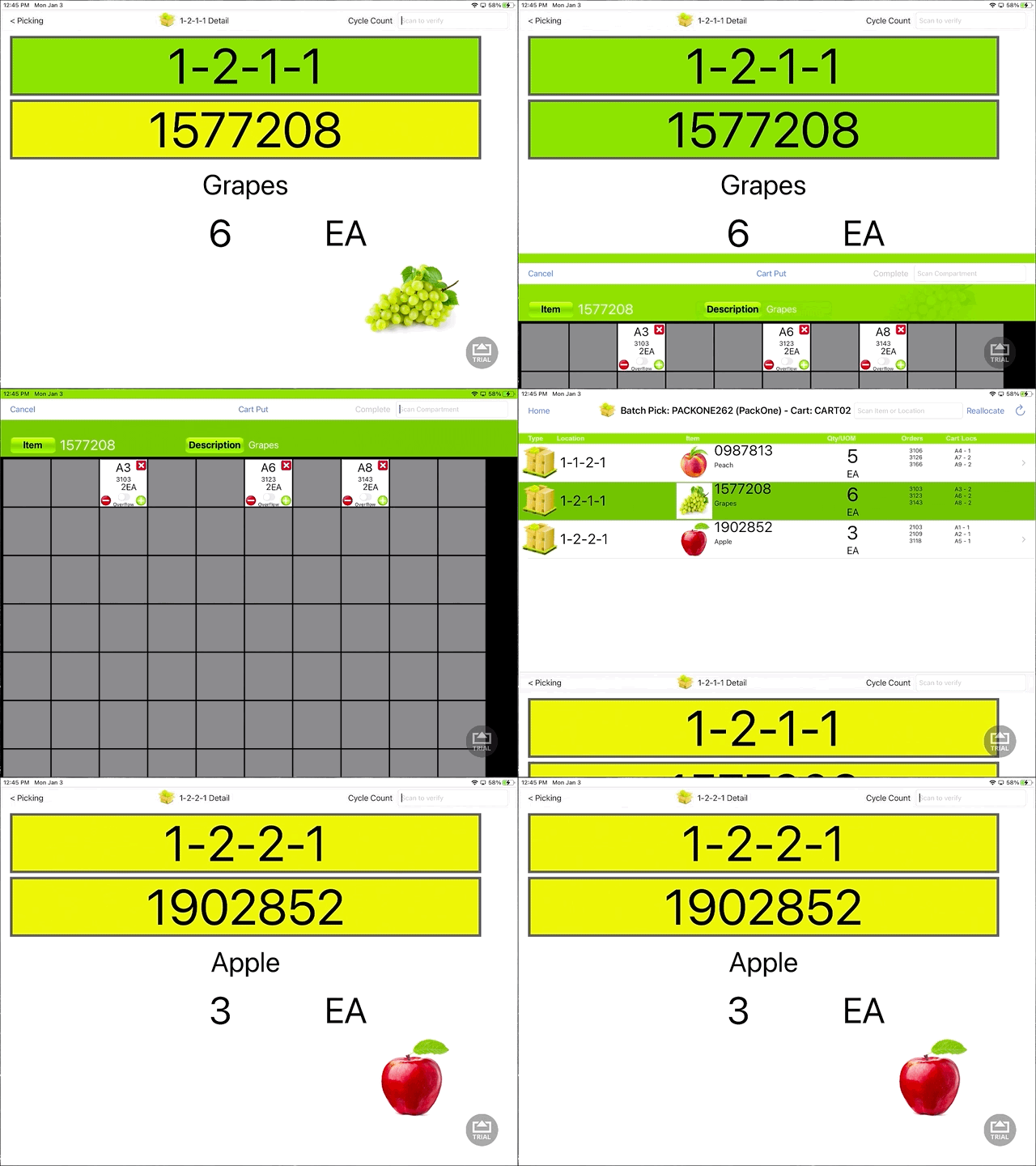
Below is an example of a typical Pack One batch. One Item is being picked to satisfy nine (9) Orders.

The User is directed to Pick the product. Standard scanning and verification rules apply.
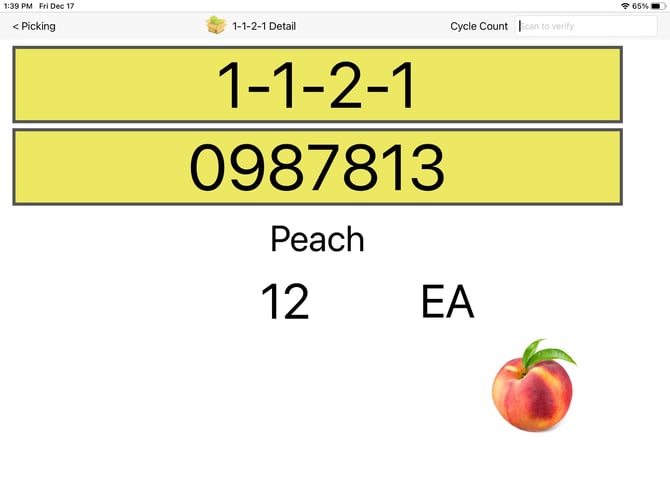
We envision the User will just throw the product onto the cart and scan the cart ID (i.e. CART01) to complete the pick. If the User wishes to indicate a SHORT, they simply press the minus button for the appropriate Order(s) prior to hitting the scanning the cart ID. The short will be noted and indicated on the PackOne verify app.
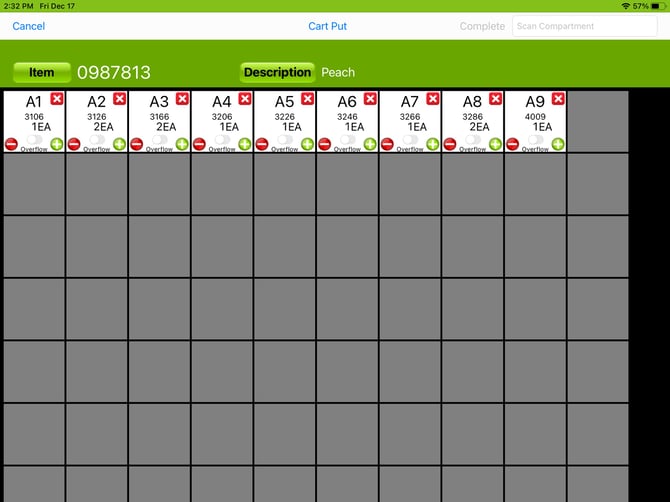
To bypass the cart put screen in the PackOne picking process simply navigate to the Group settings to which the picker has been assigned within WOS Manager, expand the Picking preferences, and toggle Verify Quantity to the on position. Please note that by doing so WOS will require each qty of the item to be scanned (ex. 20 cantaloupe = 20 scans).
Note: It is recommended that If there are large quantities of single SKU's it is best to keep Verify Quantity turned off.
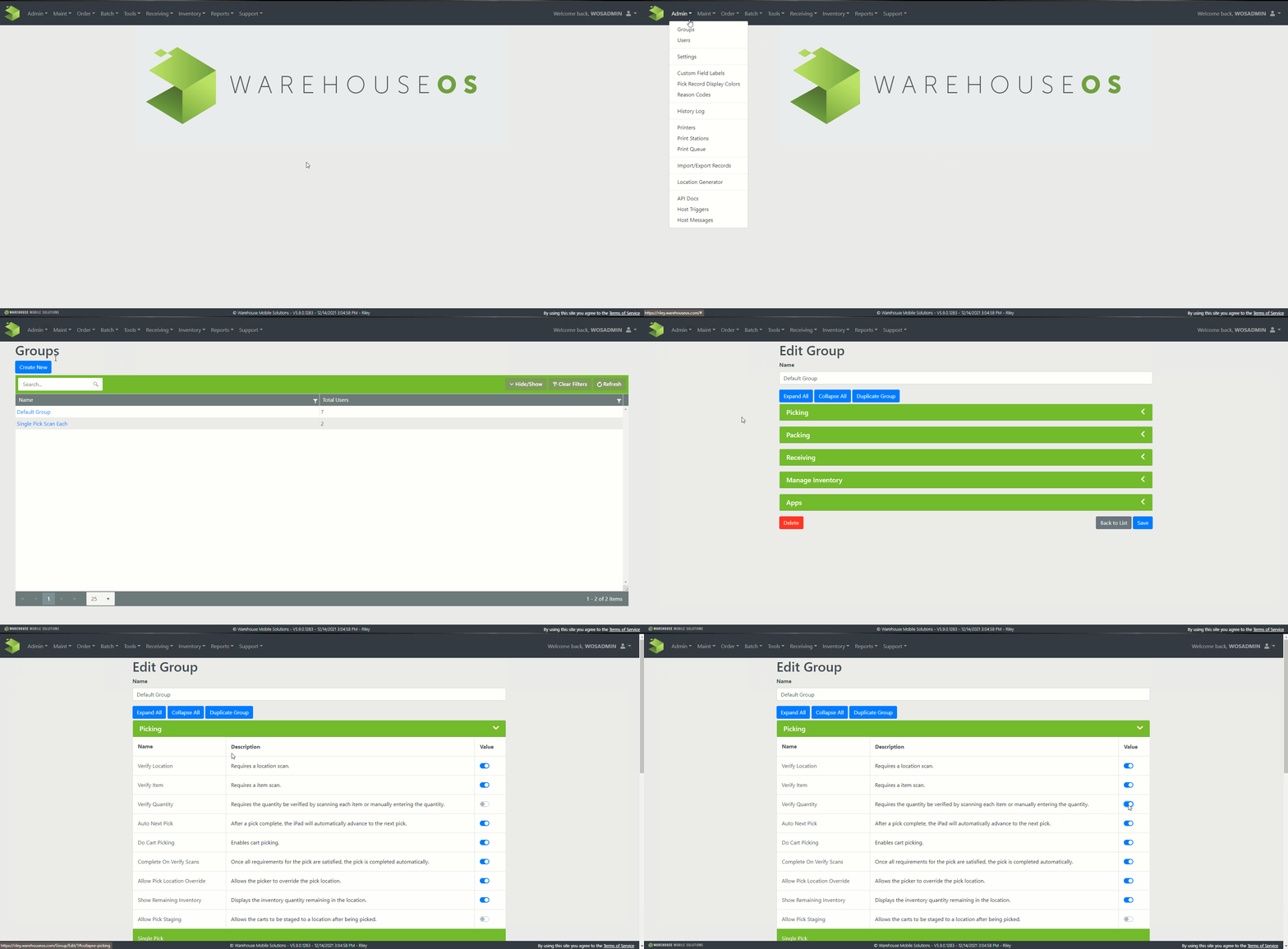
Verify Quantity:
- Disabled: Scan one item, place complete quantity of that item on cart, then scan cart ID.
- Enabled: Scan each item as you place them on the cart.